













Big News for EdTech: Google Chrome Unleashes 3 Super Innovations for Enhanced Productivity!
Explore Google Chrome's 3 new features! Boost your EdTech processes with split-screen view, PDF editing, and seamless Google Drive integration for ultimate digital efficiency.
 Edtech Türkiye
Big News for EdTech: Google Chrome Unleashes 3 Super Innovations for Enhanced Productivity!
Who among us doesn't spend a significant part of our day looking at the world through the window of a web browser? Especially in the education technology sector, our screens have practically become our second home. Lessons, research, meetings, material preparation... All done in the browser! That's why Google Chrome's latest update is a lifesaver for EdTech professionals and students alike. These three new features, unveiled by the world's most preferred internet browser, are set to radically transform our digital experience. Get ready, because developments that will revolutionize the way we work and learn, making our workflows smoother, are just around the corner!
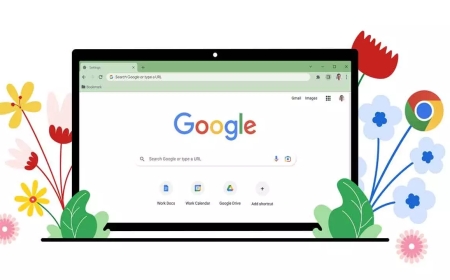
First up, the ability to view two different tabs on your screen simultaneously. Yes, you heard that right! Thanks to the split-screen view feature, Chrome users can now bid farewell to endless tab switching. Do you want to review an online article while taking notes? Or do you need to follow a virtual lesson and simultaneously check presentation slides? This feature is tailor-made for such moments. Especially in today's education technology world, where multitasking has become almost a necessity, this innovation will give you a significant advantage in time management. While other browsers may have similar features, given Chrome's global prevalence, the impact of this integration will be far greater.
Next, there's a development that will delight anyone who frequently works with PDF documents. Chrome's built-in PDF viewer has finally been enhanced with a much-anticipated annotation tool. In the past, to make changes on a PDF, you had to download the file, open an external application, then save it... How time-consuming was that process, right? Those days are now in the past! You can now directly mark up PDFs, underline important sections, take notes, and even add your signature, all within the browser. For teachers evaluating assignments, for students personalizing digital textbooks, for administrative staff quickly reviewing important documents... All of this becomes possible with a single click from your browser. This truly takes our digital literacy skills to the next level.
And here's the third, perhaps one of the most practical features: the ease of saving PDF files directly to Google Drive! Previously, to upload a file to Google Drive, you had to download it first and then upload it. Now, those cumbersome steps are gone. All you need to do is click the Google Drive icon in the PDF viewer, and your file will instantly find its place in the cloud. We all know how critical cloud-based storage is, especially for sharing and accessing educational materials. Thanks to this feature, you can transfer lesson materials, student projects, research papers, and all other important documents to your cloud storage systems much faster and more seamlessly. You'll save time and make your data management much more organized.
So, what do these innovations mean for the world of education technology? Imagine, while following an online conference, you can quickly take notes on the speaker's shared article using Chrome's PDF tool, and then save it to Google Drive with a single click. Or a student, while researching an assignment, can compare two different sources on the screen simultaneously, take notes on important information found in PDFs, and then easily save them to the cloud, preparing their project more efficiently. These integrations not only improve the browser experience but also take a significant step forward in the digitalization of learning and teaching processes. Less interruption, more fluidity, and of course, higher productivity!
Google Chrome's moves once again demonstrate platforms' commitment to offering user-centric experiences. As the EdTech ecosystem, we eagerly welcome such innovations. Because we know that these seemingly small improvements can make a big difference in our daily tasks and educational journeys. These new capabilities awaiting us when we open our browser are opening a new chapter in our digital lives. Who knows, perhaps the next big education technology innovation will emerge precisely from the opportunities provided by these simple, everyday tools!
EdTech Turkey Editor Note
These innovations represent critical steps that directly impact the user experience and increase productivity in digital education environments. Specifically, the strengthening of workflow integration and online collaboration skills will significantly contribute to the overall efficiency and adoption of the education technology sector. Such updates demonstrate how much technology providers are focused on the needs of the end-user, moving us towards a more interactive, easier digital future.