







Video Accessibility: 8 Practical Moves That Make Learning Truly Inclusive
Video accessibility makes learning inclusive through captions, transcripts, readable design, pacing, and strong audio. This article shares 8 practical improvements plus a quick publishing checklist—and how to reinforce behavior change with short follow-up checks.
 Berkay Batallı
Training videos are powerful—they explain fast, show examples, and align teams.
But there’s a hidden reality: a video can be “published” and still not be accessible.
- Some learners can’t use sound.
- Some rely on captions.
- Some watch on mobile with small screens.
- Some struggle with fast pacing or low contrast.
Accessibility isn’t about everyone consuming content the same way.
It’s about everyone having a fair chance to learn.
The good news: you don’t need a huge budget. Small changes deliver big impact.
1) Captions: not a bonus, a baseline
Captions support far more than hearing accessibility—think noisy workplaces, commuting, or shared spaces. Auto-captions are a start, but terminology should be reviewed.
2) Transcripts: make video searchable
Transcripts help learners scan, revisit quickly, and find exactly what they need—without rewatching the entire video.
3) On-screen text: large, clear, minimal
Avoid “slide paragraphs.” Keep text short, readable, and purposeful. People can’t listen and read dense text at the same time.
4) Contrast and color: Readable beats pretty
Light gray text on white may look sleek but fails in real viewing conditions. Test readability at a glance.
5) Pace: learners don’t move at one speed
Chunk content, add quick recaps, and if possible provide playback speed options.
6) Audio quality: Often more important than video quality
Bad audio kills attention fast. A simple mic setup and noise control can outperform fancy visuals.
7) Plain language: Accessibility is also about words
Short sentences, clear examples, one key message per section. “Human-first” language increases comprehension.
8) Mobile-first reality
Most learners will watch on a phone at least sometimes. Ensure text size, framing, and visual details work on small screens.
A quick publish checklist
-
Captions included
-
Transcript included
-
Readable text
-
Strong contrast
-
Clean audio
-
Mobile-friendly viewing
Bonus: Video alone rarely changes behavior
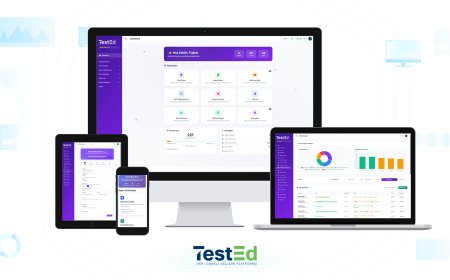
Reinforcement makes learning stick: short scenario questions, quick reminders, small manager prompts. With tools like tested.com.tr, you can add quick checks after videos to track decision quality—not just completion.
Editor’s note
Accessible video isn’t “same video for everyone.”
It’s equal opportunity to learn—built through thoughtful details.